Your launch, dated from one day.
35 posts, emails and tasks, each counted back from your launch day, with a prompt for what to say. Set your date and the whole plan moves. For Google Sheets and Notion.
Yours to keep and reuse.
Includes UK VAT.
35 dated rows · Google Sheets + Notion · Calendar and board views
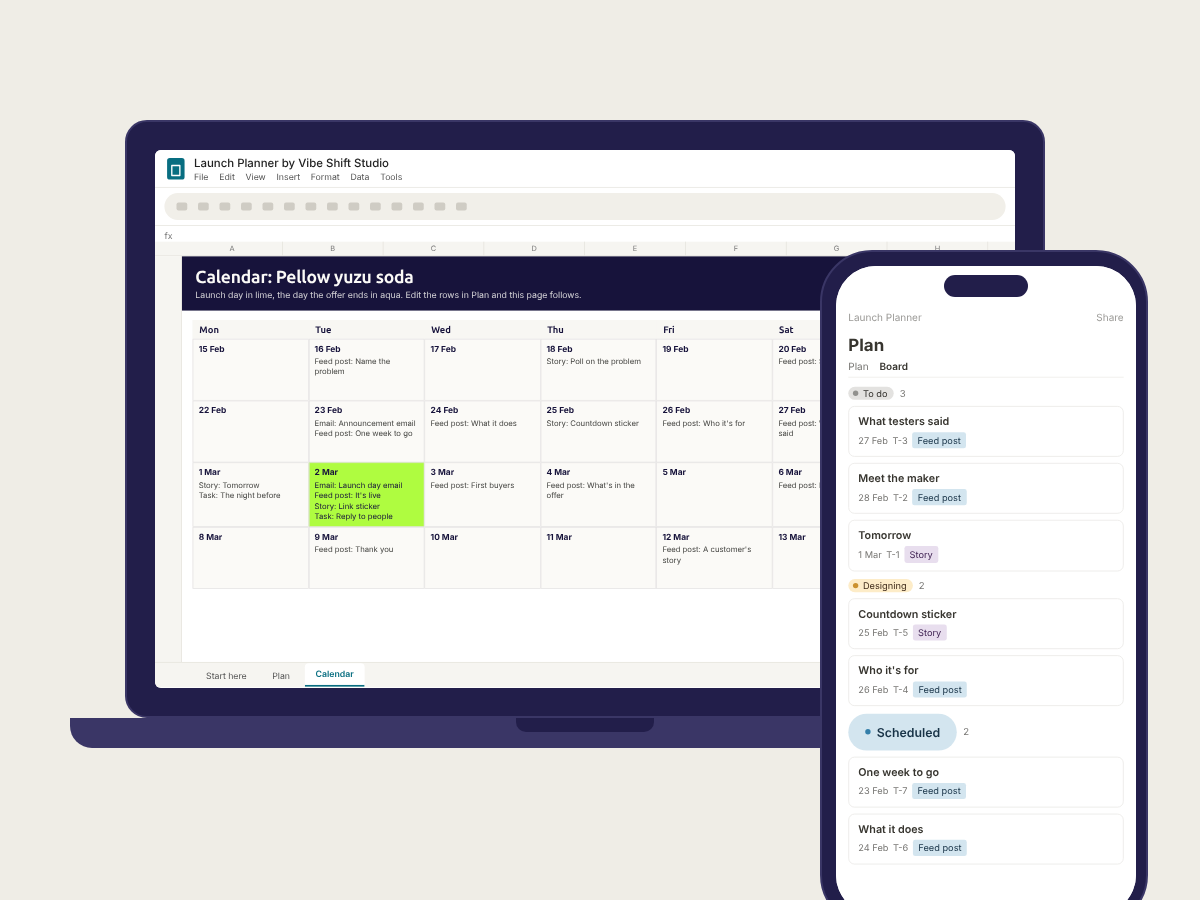
The whole launch, row by row.
Open it, set your launch date and your offer-end date, and every one of the 35 rows lands on the right day. Each row is a post, an email or a task, with a prompt for what to say and the stage it belongs to.
Dated from your date
Set two dates and the plan counts back from them. Move any row by changing how many days before launch it runs.
A prompt in every row
Each one spells out what to post or write, so you are never staring at a blank calendar.
Calendar and board
See the whole launch by day, or switch to a board of what is still to make.
Status as you go
Mark each row to do, writing, designing, ready, scheduled, live or done.
Google Sheets or Notion. Your call.
Both come in the download, with the same 35 rows and prompts. Use the one your team already lives in.
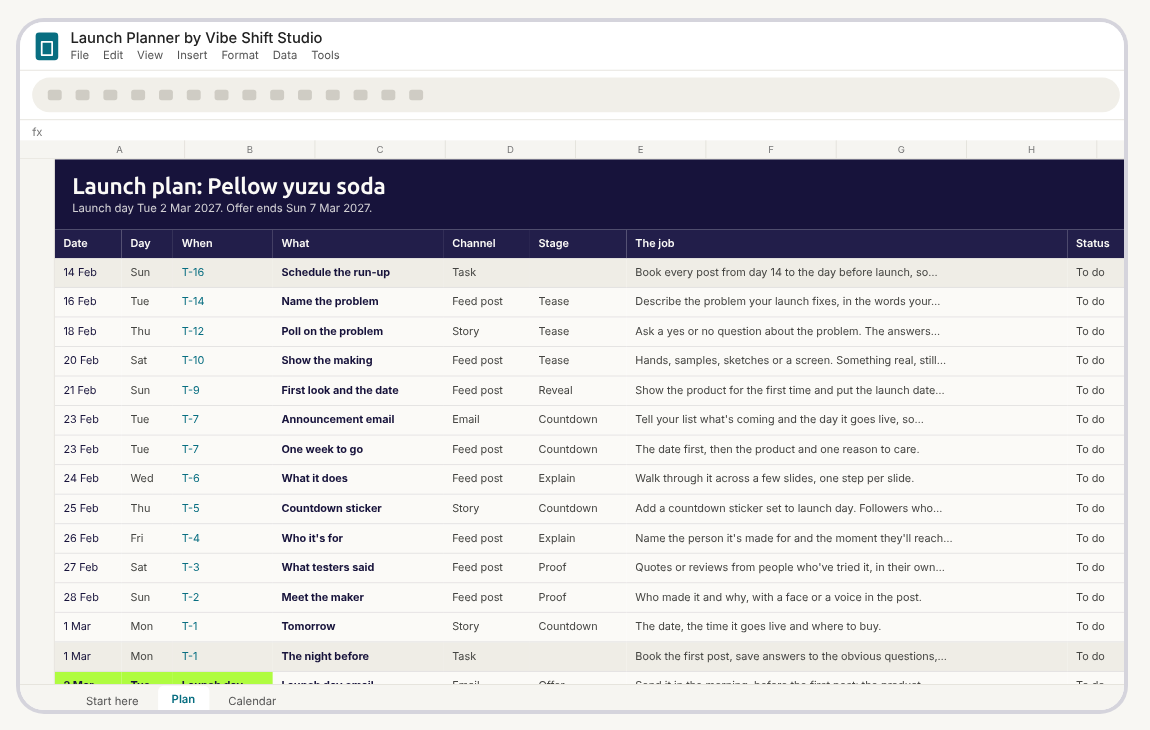
Google Sheets
Open the sheet, set your two dates and every row moves. Filter by stage, sort by date, tick things off. Opens in Excel too.
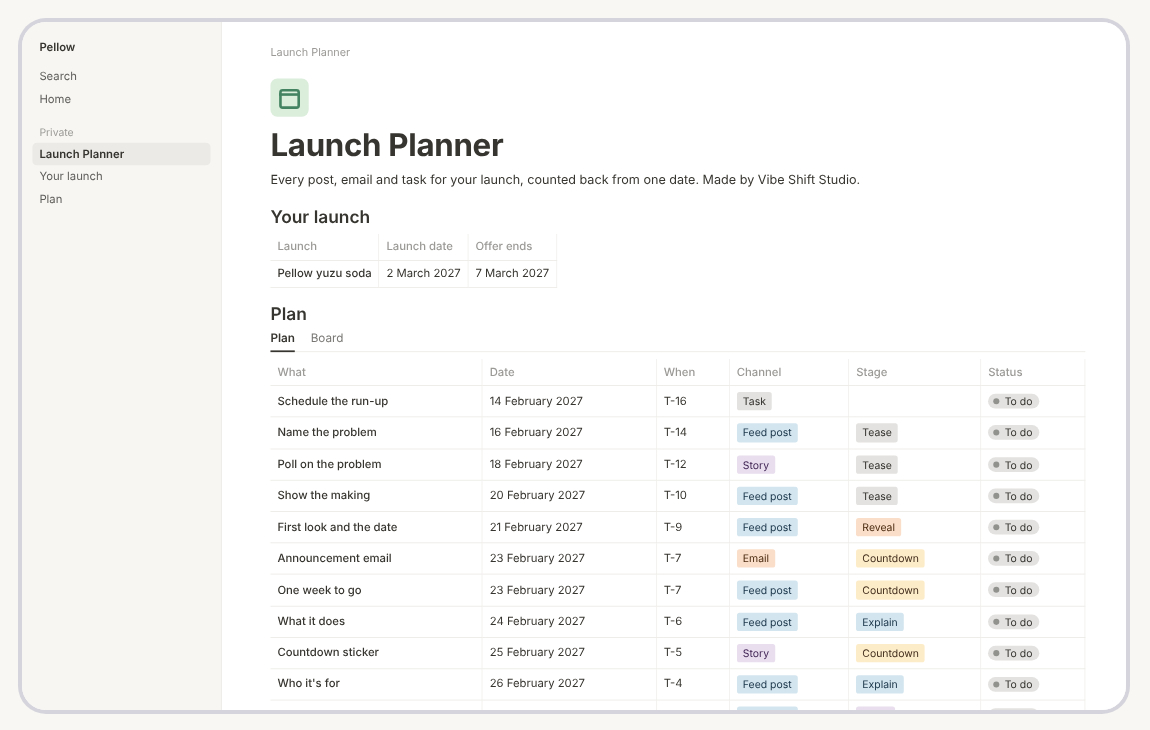
Notion
Duplicate the page into your workspace in one click, free plan included. Calendar and board views built in, a status on every row.
How a launch runs.
The plan counts back from one date, the way the studio plans client launches. Six phases, from the first idea to the week after.
Plot
One claim, one audience, one date. The date goes in the diary before anything gets made.
Build
Shot list, shoot day, then every post and email made and scheduled before the run-up starts.
Run-up
Post the problem, then make the date public, then show your proof.
Launch
Send the email first, post, then reply to people. Nothing new gets made today.
Offer
Show the first buyers, then give a clear last chance with a deadline.
After launch
Say thank you, share what happened and note what you would change next time.
The honest answers.
Google Sheets or Notion?
Both. The download has each one, with the same rows and prompts. Pick whichever your team already uses.
Do I need a paid Notion plan?
No. The free plan duplicates the page and runs the whole planner.
How does the dating work?
You set your launch date and your offer-end date. Every row counts back from one of them, so the whole plan lands on the right days. Move any row by changing its day count.
Can I use it for clients?
Yes. One purchase covers your own launches and the ones you plan for clients. Please don't resell or share the files themselves.
Can I get a refund?
At checkout you agree to get the files straight away, so a downloaded file can't be cancelled for a change of mind. If something's wrong or not as described, email hello@vibeshiftstudio.com and I'll fix it or refund you. Your legal rights aren't affected.
Plan your launch for £9.
35 dated rows for Google Sheets and Notion. Instant download.
Set one date and the whole plan moves. Keep it for every launch you run.