A launch runs on four emails.
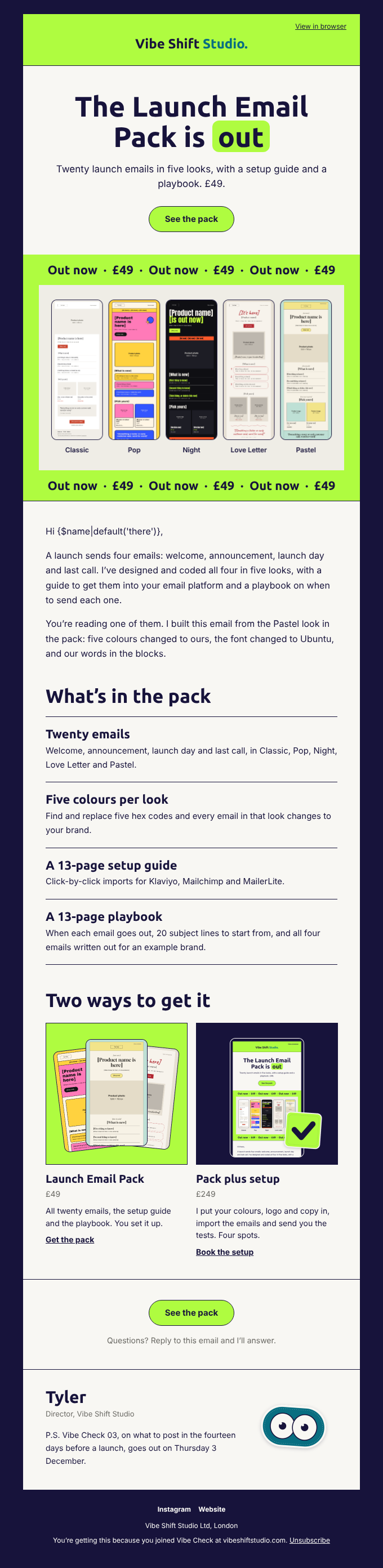
Welcome, announcement, launch day and last call. Designed and coded by the studio, in five looks. Build them in your browser, or swap five colour codes in the files, and every email is yours.
Yours to keep and reuse.
Includes UK VAT. Gumroad shows £40.83 before tax.
20 HTML emails · five looks · 13‑page setup guide · 13‑page playbook
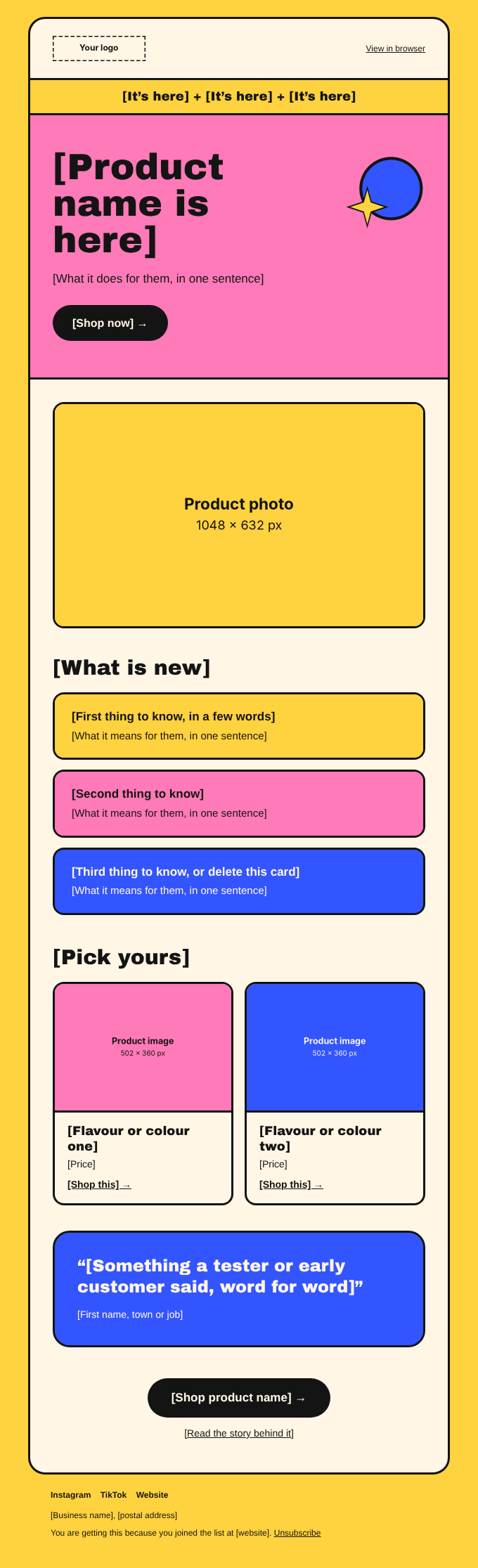
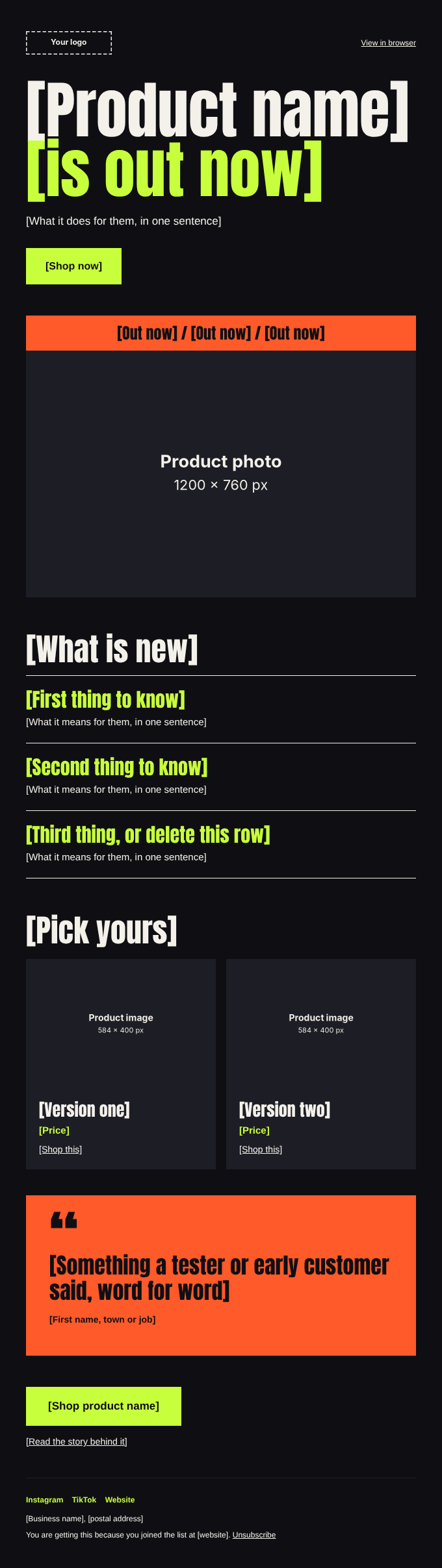
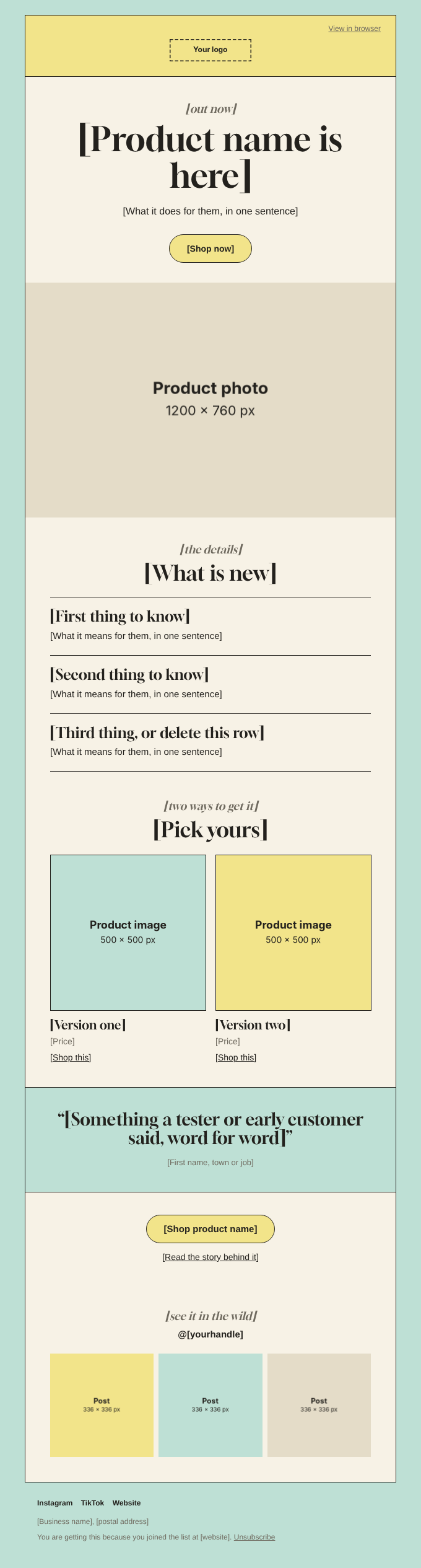
Four emails, each with one job
Your list is the warmest audience your launch has. One announcement reaches them once. Four emails reach them when they join, as the date gets close, on the morning, and before the offer ends.
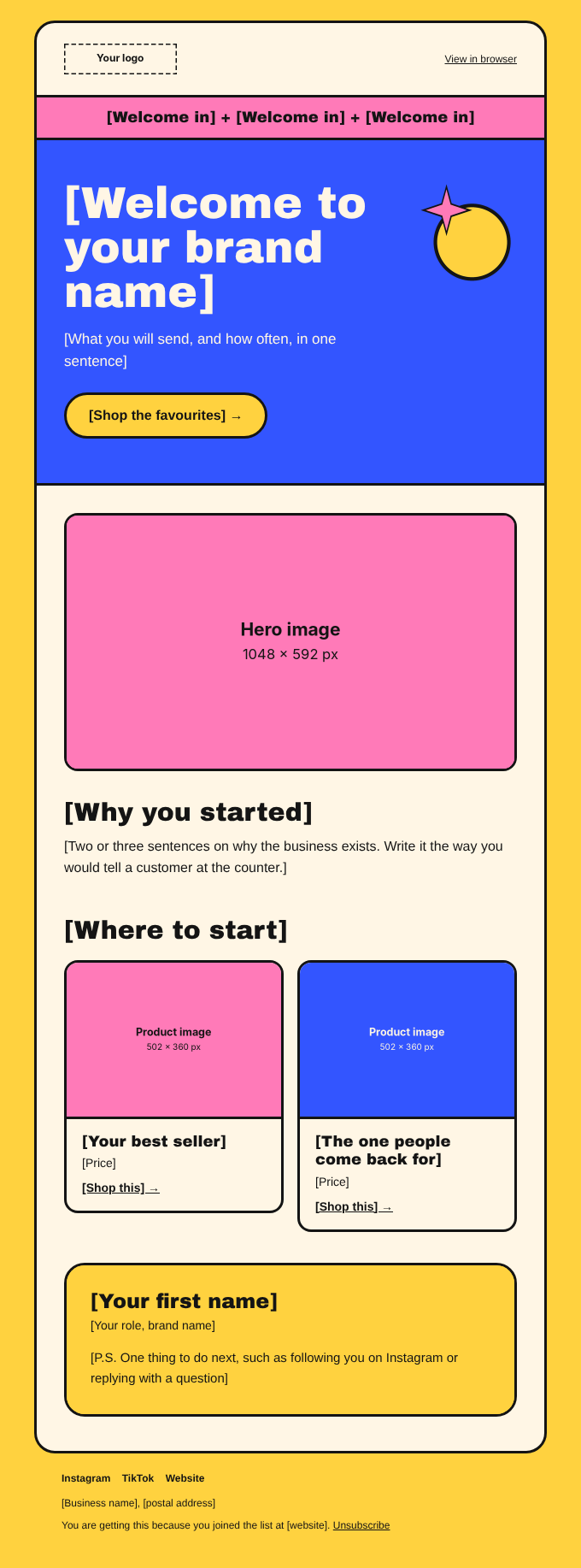
Says hello and shows new subscribers where to start.
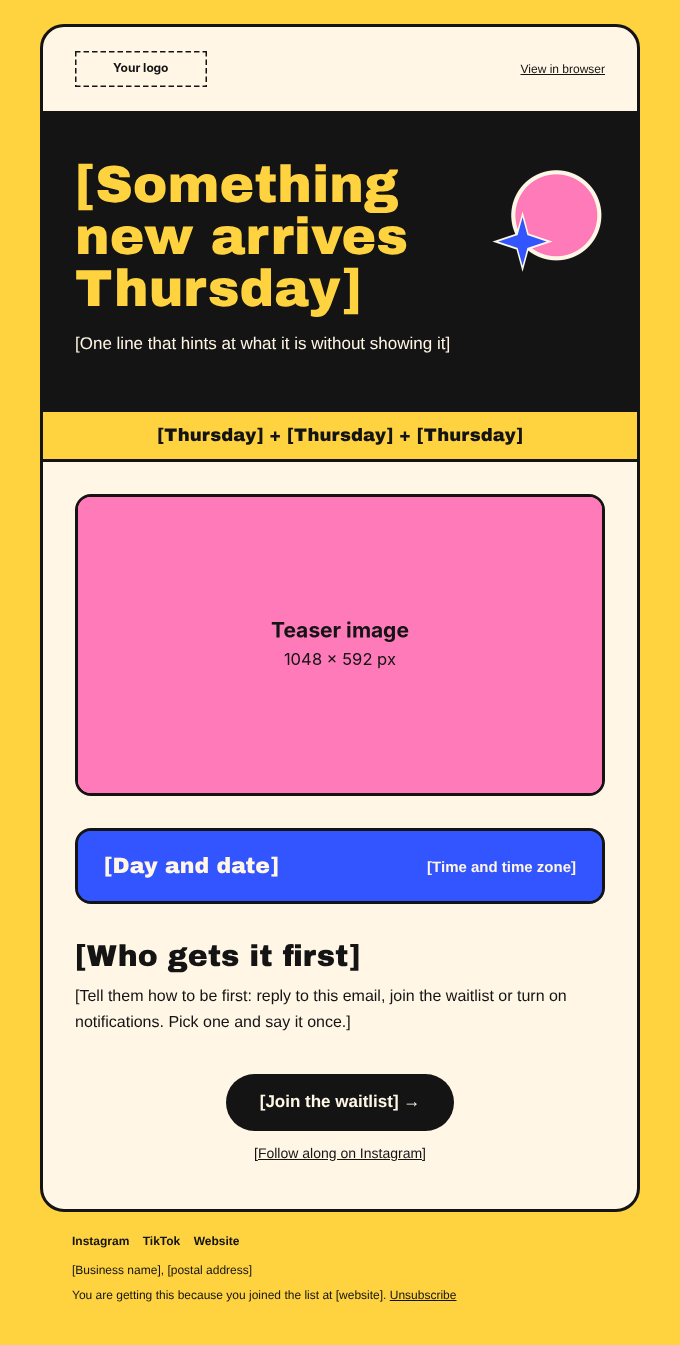
Names the day so it is in their diary before it goes live.
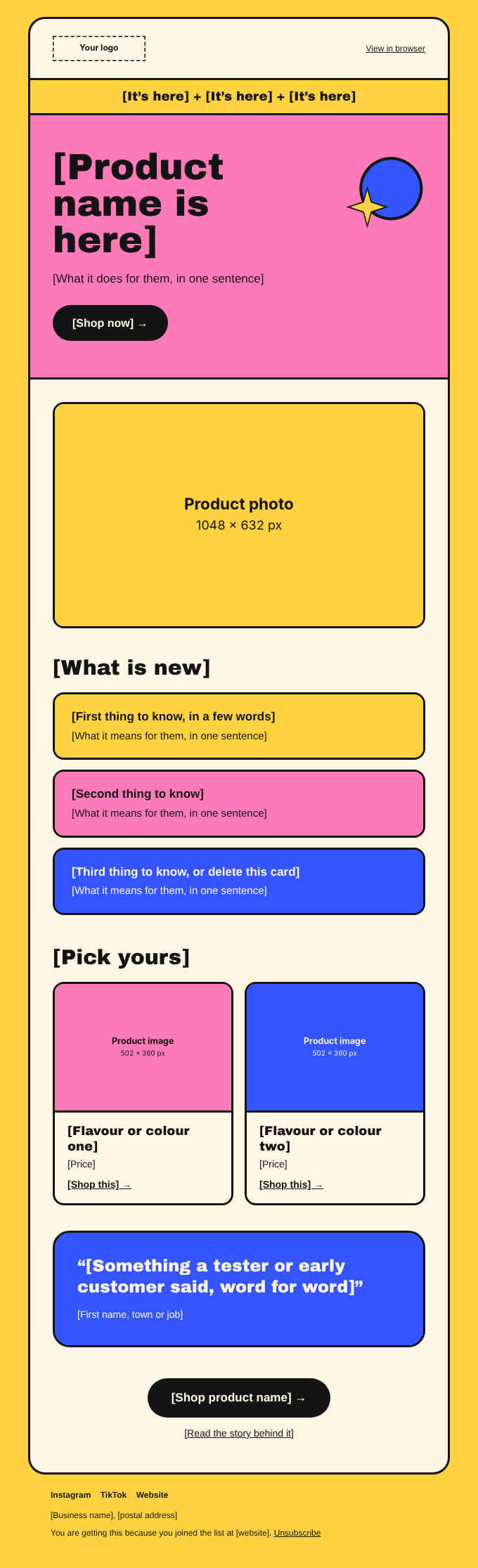
Shows the product and sends people straight to buy.
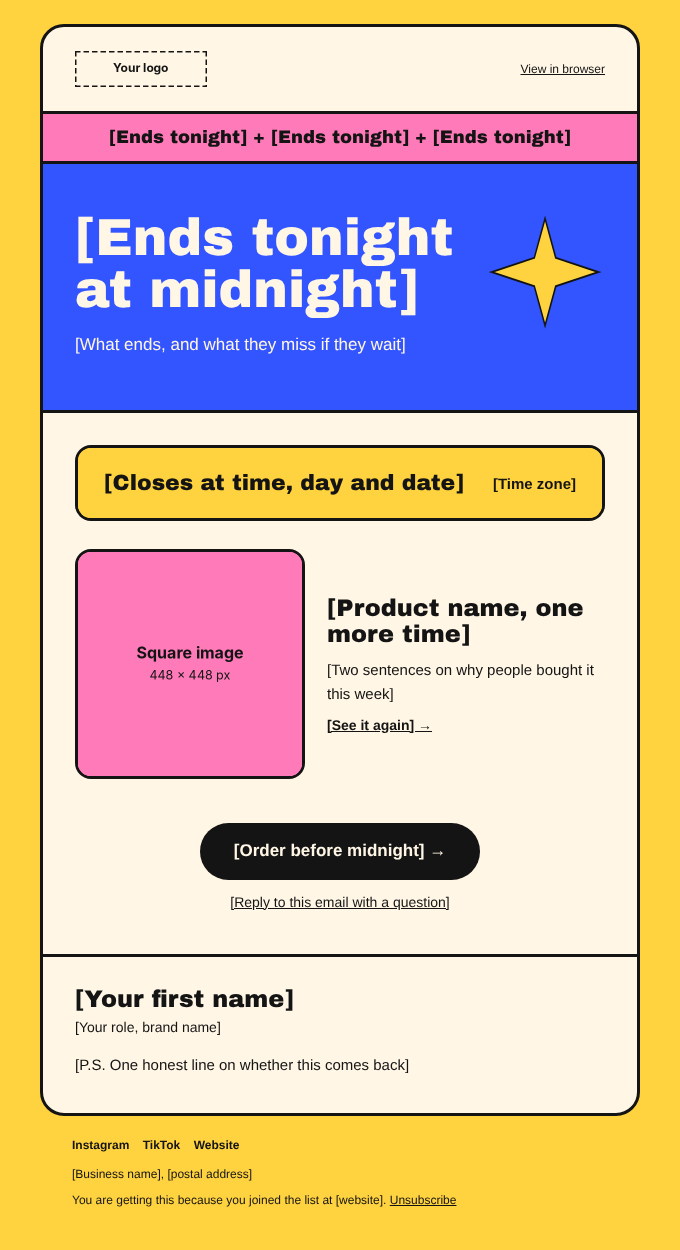
Gives a clear deadline and what they miss after it.
Pick the look that fits your brand
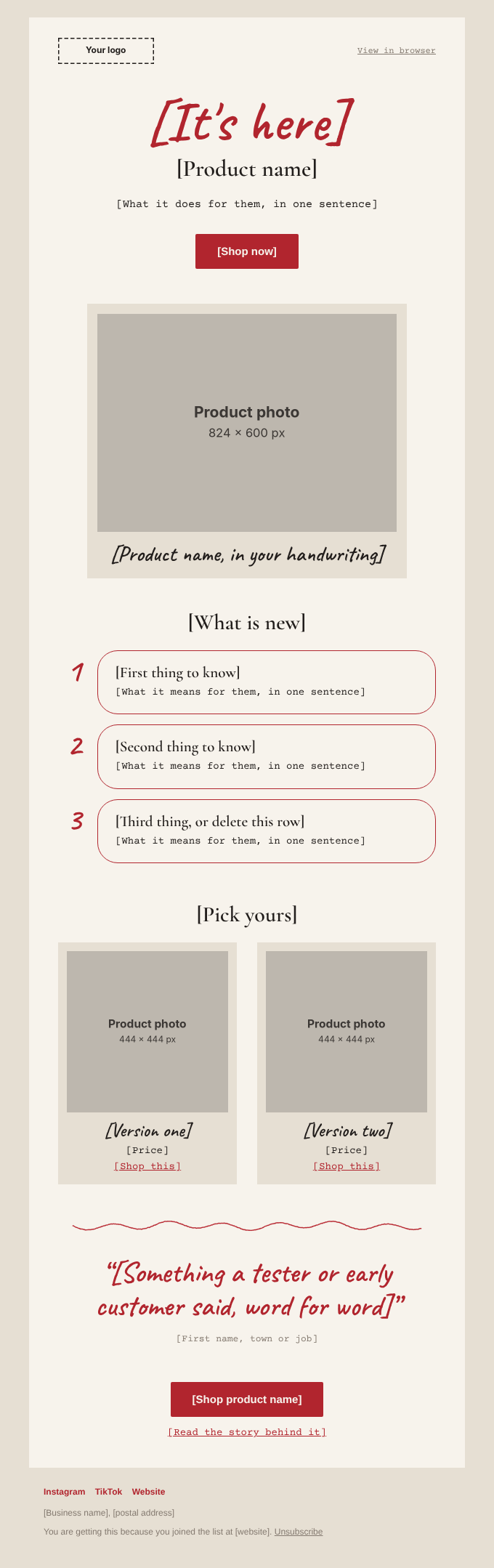
Every look carries the same four emails. Launch day shown here, one look per column.
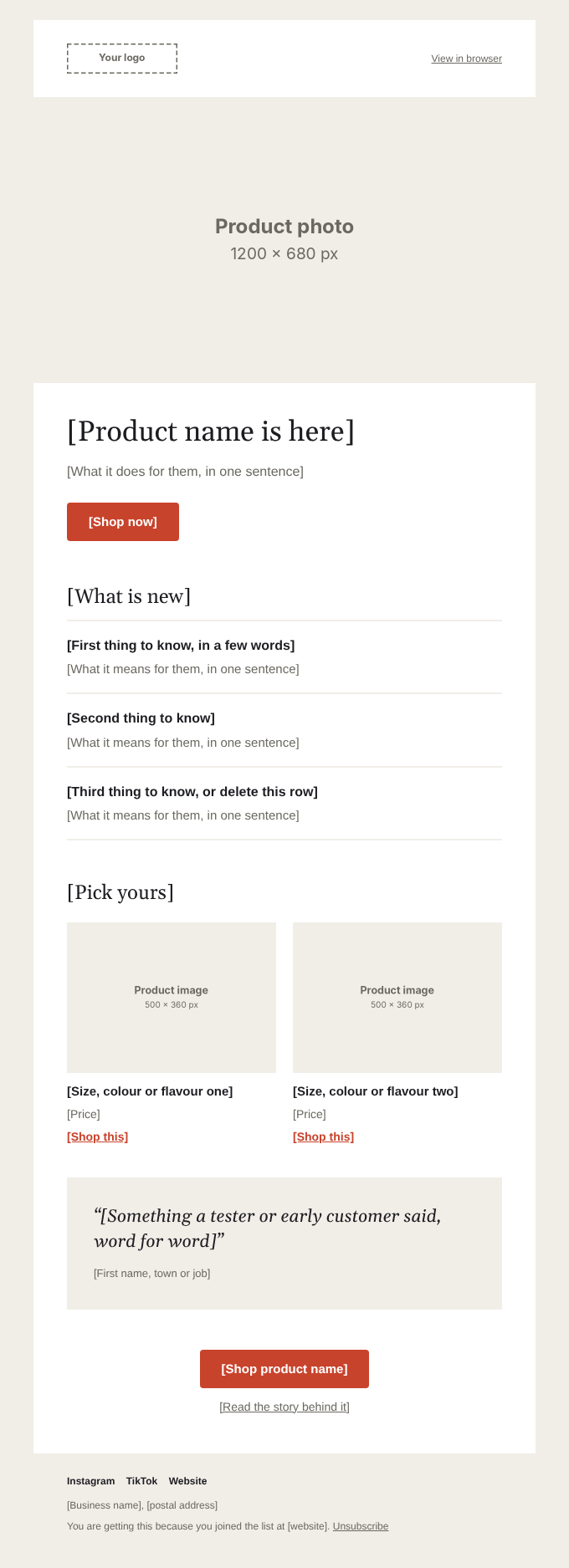
Classic
Pop
Night
Love Letter
Pastel
A finished look, ready for your brand.
Every email comes designed and coded, with a prompt in each slot. Change the colours and the words, and the same look becomes unmistakably yours.
One zip, with everything you need to send.
Pick a look, copy its folder for your launch, and start writing over the prompts. Every text slot tells you what to write and how long it should run.
20 HTML emails
Four types — welcome, announcement, launch day and last call — in five looks. A prompt in every slot and a subject line at the top of each file.
Placeholder images at the exact size
Export yours at the same size and name and they drop into place. Pop and Love Letter shapes come as SVGs you can recolour.
13 pages to set it up. 13 pages to send it well.
Live in an afternoon, in six steps
Fastest route: build it in your browser, no code. Or set it up by hand:
- 1Download and unzip. One folder per look, plus the two guides.
- 2Open a look in a free editor like VS Code. The guide points to the exact lines you touch.
- 3Swap five hex codes and type over the prompt in each text slot.
- 4Drop your images in at the sizes shown, keeping the same names.
- 5Paste into Klaviyo, Mailchimp or MailerLite, click by click.
- 6Send a test, then schedule. First email about 30 minutes, each one after about 10.
The thinking is already done
- The best send day and time for each of the four emails
- 20 subject lines with preview text, ready to paste
- All four emails written out in full for an example brand
- What to measure after a send, and what a good result looks like
Built for real inboxes. 600px tables, inline styles, one column on a phone, and a system font where Gmail or Outlook won't load a web font.
Set it up yourself, or hand it over
The emails are the same either way. What changes is who puts your brand on them.
Launch Email Pack
- 20 HTML emails in five looks
- The setup guide and the playbook
- Instant download through Gumroad
- Yours to keep, use for every launch
Needs Klaviyo, Mailchimp Standard or above, or MailerLite on any plan, the free one included.
Pack plus setup
- Everything in the pack
- Your colours, fonts, logo and photos in one look
- Your copy edited into all four emails
- Imported and test-sent from your account
- One round of changes
Delivered within five working days of getting your files. Pack owners get £49 off with the code in their download.
Custom email sequence
Not a template. A full sequence designed and written from scratch for one campaign, launch or not.
- A call to scope the campaign and the emails it needs
- Design, copy and assets made for your brand, not edited from a file
- Any moment: a launch, a brand story, a waitlist, a behind-the-scenes, a win-back
- The whole sequence built, tested and ready to send, studio on it end to end
This is the email side of the studio's Focused package, scoped on the call. Work made only for you, not a shared template.
Gumroad lists the pack at £40.83 and the setup at £207.50, then adds VAT at checkout. In the UK that makes £49 and £249; elsewhere the total depends on your country. See the digital product terms.
The honest answers
Do I need to know how to code?
No. The quickest way is the browser builder: pick a look, add your colours, copy and images, then export the files, no code at all. If you'd rather edit the files yourself, you can, in a free editor like VS Code, and the setup guide shows where each thing lives.
Which email platforms can import it?
Klaviyo, Mailchimp on Standard or above, and MailerLite on any plan, the free one included, each covered step by step. Other platforms that import custom HTML can take the files too.
Will it look right in Gmail and Outlook?
The emails use tables and inline styles, the way email apps expect. Gmail and Outlook show a system font in place of the web fonts. The guide has a checklist for your test send.
Can I use it for clients?
Yes. One purchase covers you and your business: your own launches and the emails you make for clients. Your clients get the finished emails, not the template files. You can't resell, share or give away the templates, edited or not. The full licence comes with your files.
Can I get a refund?
At checkout you'll confirm that you want the files straight away. Once you download them, you can't cancel for a change of mind. If a file is faulty or the pack isn't as described, email hello@vibeshiftstudio.com and I'll fix it or refund you. Your legal rights aren't affected.
What if I want it done for me?
Take the Pack plus setup tier and I put your brand and copy into one look, then import and test-send it from your account. Capped at four at a time.
Four launch emails for £49.
Five looks, a setup guide and a playbook. Instant download.
Swap five colour codes and it's yours. Keep it for every launch you ever run.
Not sure how it'll look in your brand? Try the builder, free
Already bought the pack? Build and export in the browser